March 2003 – Presentation Announcement
I will be presenting two Flash movies of artists’ books and a brief technical discussion on Wednesday April 30, 2003. Time and location details below.
I have been interested for some time now in how to make artists’ books and other three-dimensional art forms more accessible. Paintings and photographs generally hang on walls and you can readily view them as closely as you’d like. Generally larger sculpture is similarly accessible; you can simply walk around it, crouch down and peer up, or otherwise examine sculpture.
However, when you see artists’ books in a museum or even in an art gallery, generally you can’t pick them up and manipulate them at all. They tend to be exhibited under/behind glass. And, since Karen has been making artist books and boxes with structured collections of objects (her Aidila project for her mother is an example), I have become more familiar with the form and all of the interesting facets built in, but normally quite inaccessible in a museum or gallery.
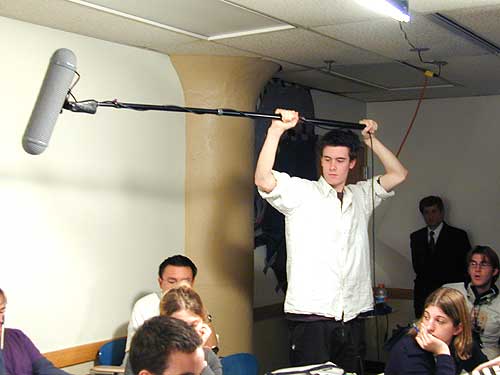
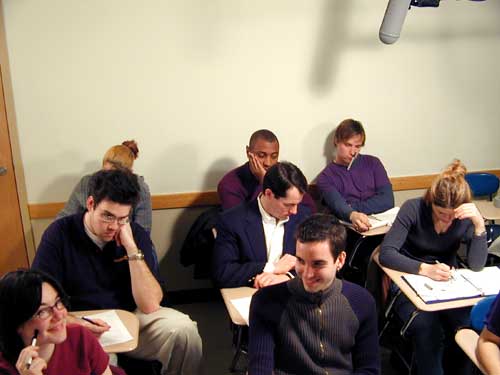
So,how did I get to Flash movies from that question? Last spring I attended the final presentation by students in Karen and Miriam Goodman’s RADCLIFFE SEMINARS Course, “Word & Image: Making Art in Two Languages”, and saw Pamela Worden give a performance of her book, “Letters to Andrew: the house book“. This immediately struck me as a terrific starting point for really doing something about my question.
One thing lead to another (partly through the intervention of Miriam Goodman) and I found myself with an additional project of working on a piece done by Dot Krause, “Vengeance Is Mine“.
Pamela Worden’s book is currently in the Book Arts show at the Cambridge Artists’ Cooperative. The movie is on display also.
My ultimate objective is to put this type of work on the web.
For the moment, if you want to see both of these movies come to the presentation.
Boston University – Photographic Resource Center
“Printmaking, Artist’s books, and the Digital Age”As a part of the jointly sponsored New England School of Photography and the BU Photographic Resource Center “Word and Image” series, Dorothy Simpson Krause, a painter, collage artist and printmaker who incorporates digital mixed media into her art, will talk about her work and Mark Orton, software entrepreneur, will show virtual artist books, he has translated into Flash. Orton has been working with Krause on an electronic representation of her artist’s book, “Vengeance is Mine”, and with artist Pamela Worden to create an electronic representation of her book, “Letters to Andrew: The House Book.”
Wed, April 30, 7:30pm. Boston University, The Photonics Center, Rm 206, 8 St. Mary’s St, Boston. Free! For more info contact Miriam Goodman, 617.868.5215, mirgoodman@attbi.com , or Ingrid Trinkunis (PRC), 617.353.0700, itrinkun@bu.edu . Wheelchair accessible.
One of over one hundred events in the 2003 Boston Cyberarts Festival . For more information go to: www.bostoncyberarts.org or call 617 524-8495.
When you find other interesting sites or resources about Book Arts and the Web, please send me an email.
Flash Resources for the Boston Cyberarts Festival Presentation April 30, 2003
This information was gathered on 04/25/03 from the various web sites. Thanks to Karen Davis and Miriam Goodman for assembling this list.
CHECK FOR CURRENT STATUS OF INFORMATION
Books
Macromedia Flash MX Hands-On-Training
By Kymberlee Weil, Lynda Weinman; Paperback
Paperback: 803 pages ; Dimensions (in inches): 1.23 x 9.56 x 7.38
Publisher: Peachpit Press; Book and CD-ROM edition (September 24, 2002)
ISBN: 0321112725 From Book News, Inc.
This beginner’s guide offers a series of tutorials on using Flash to create graphics and animation for web sites. Step-by-step instructions accompanied by screenshots are provided for performing such procedures as creating graphic symbols, motion tweening, importing bitmaps, attaching sound to buttons, adding ActionScript to objects and frames, working with text, and applying effects to video. The CD-ROM contains exercise files and a trial version of Flash.Book News, Inc.®, Portland, OR
Macromedia Flash MX for Windows and Macintosh – A Visual Quickstart Guide
by Katherine Ulrich, ,
Publisher: Peachpit Press.
Flash MX Savvy (With CD-ROM)
by Ethan Watrall, Norbert Herber
Paperback: 784 pages ; Dimensions (in inches):
Publisher: Sybex; Book and CD-ROM edition
(May 15, 2002) ISBN: 0782141080
“The authors are smart and funny. The book is well organized and logical. The chapters feature a smooth transition between beginner topics and intermediate material (all of which is very detailed)
Reference Books
Macromedia Flash Documentation
Flash MX Bible
by Robert Reinhardt (Author), Snow Dowd (Author)
Paperback: 1300 pages ;
Publisher: John Wiley & Sons; Book and CD-ROM edition (July 15, 2002)
Includes enhanced coverage of using Flash with other powerful Web applications and exclusive expert tutorials from the world’s top Flash gurus. The most comprehensive Flash book on the market. Documents Flash’s integration and implementation of new technologies The accompanying CD-ROM is packed with trial software, add-ons, plug-ins.
Local Course Offerings
New England School of Art and Design/Suffolk University
http://www.suffolk.edu/nesad/ghtml/gcoursed.html
ADG S213 – Introduction to New Media, J. Fuchel
New media is design that deals with non-linear and interactive works using cutting-edge digital technologies. In this survey course, students will be introduced to the concepts of electronic presentation, interactive media authoring, animation, web site design and creation, digital photography, digital sound, and video effects and editing.
Prerequisite: ADG S219 3 credits/Offered fall semester
ADG S219 – Computer Applications in Design
In this course students will learn the major software applications used by graphic designers. Through a series of problems, students will learn how and when to use specific software to produce their solutions. 3 credits/Offered fall semester
ADG S340 – Multimedia
ADG S341 – Advanced Multimedia
Designing for Animation ADG S231 AE
Thu 6:00-9:00 L. Armstrong
Harvard Summer School
http://www.summer.harvard.edu/
CSCI S-K Introduction to Creative New Media and the World Wide Web (31439)
Jennifer Fuchel and Nita Sturiale
(8 units: UN, GR, NC) M-Th 10 am-12:30 pm. Required computer laboratories to be arranged. Prerequisite: Basic familiarity with Windows and/or Macintosh operating system. No programming experience required. Harvard College students see additional information. Tuition $3,900. Limited enrollment.
This introductory course is an intensive immersion into New Media production for beginning and intermediate students. The current state of “New Media” is the digital convergence of print, broadcast, audio, image, film, and the Internet. The course consists of lectures, demonstrations, visiting speakers, and computer lab experience.
Particular attention is placed on balancing technical skills with individual content and experimental approaches. We will explore the evolution as well as the societal and cultural context of New Media the Web. Along with weekly assignments, students will propose, design, and produce a web-based, multimedia final project using the tools of the industry. Core software includes Adobe PhotoShop, Dreamweaver, and Flash. The course will also introduce digital video applications, QuickTimeVR, sound editing, and frontline developments in web applications.
Harvard Extension
http://www.dce.harvard.edu/extension/2002-03/courses
(Last fall)
CSCI E-14 Understanding and Developing Multimedia (11200)
Scott Traylor, BA, President, 360KID.
Creating dynamic media that communicates effectively through the use of sound, images, motion, text, and interactivity is a process that involves skill, planning, and practice. In this course, students will examine the concepts and tools necessary for producing their own interactive multimedia projects. A number of professional authoring applications willbe used to create student projects including Macromedia Flash, Bias Peak, Adobe Photoshop, and Illustrator. Many development- and user-related issues will be discussed, including the definition of target audience and playback conditions, defining the user experience before building, narrowband versus broadband delivery, as well as successful interface and compression formats. Prerequisites: a solid understanding of the Macintosh and Windows operating system; basic understanding of any paint or draw program.
Cambridge Center For Adult Education
http://www.ccae.org/catalog/courses/index.php?id=150
Introduction to Macromedia Flash MX
In this introductory class, learn the fundamentals of Flash and build dynamic media for web, CD-ROMs and other on or offline deliverables. We’ll start by familiarizing ourselves with the improved Flash interface and some of the brand new features only available in MX. Topics include working with timelines, creating movie clips and button symbols, using masks and guides, and building complex animated graphics.
This course is intended for new Flash users, but a working knowledge of Flash 5, Adobe
Photoshop/Imageready, and the Macintosh operating system is helpful. Limited to 12.
Sec. 01: 8 Tuesdays, 8:00-10:00 pm. Begins Jun. 17, 1 Story St. | $266
Term: SUMMER TERM Code: FLSX Section: 1
Flash Without the Cash
Term: SUMMER TERM
Sec. 01: 1 Wednesday, 6:30-8:30 pm. Jul. 16, 1 Story St. | $47
Instructor: Michael Mahoney
This course is designed to demonstrate alternatives to using Macromedia Flash to achieve the same results at 1/10th of the cost in 1/10th of the time. Limited to 12.
Boston Center for Adult Education
Introduction to Flash 5.0
Flash 5.0 is a powerful motion graphics tool offering unique solutions to Web design, animation, games, and other interactive media. Get an introduction to Flash’s capabilities through a series of projects that explore its most powerful features. Projects focus on creating animation, enhancing that animation with interactivity, and adding
sound and dynamic media. This course is designed for the novice; however, a working knowledge of the PC is helpful. The tuition includes a materials fee for a CD containing the lessons as well as useful links, resources for, and examples of more advanced projects.
Member: $179.00 Non-member: $198.00
Mondays: Time: 6:00pm – 9:00pm Begins: 05/05/2003 Session(s): 4 Ends: 06/02/2003 Class does not meet May 26.
Meets at: Technology Learning Center Instructors: Museum of Science, Gary Tucker
Art Institute of Boston/Lesley University
http://www.lesley.edu/aib/EXTRA/courses.html
The Web Design Trio: Macromedia MX Suite (Dreamweaver, Fireworks, Flash)
Matthew Nash July 14 – August 20, M, W @ 6 pm – 9:30 pm
1 Credit/$960, includes fees, or Non-credit/$900
Macromedia, the leader in web design and animation tools, recently released their MX package, a fully integrated web design suite. Create complicated and complex websites with Flash animations, graphics rollovers and great design with the tools of MX. This class will cover the basics of each program, look at how they are integrated when they are used to support each other, and how they form the best web design package on the market. We will use Flash to create amazing animations, Fireworks to create intricate and beautiful graphics, and Dreamweaver to combine them all into complete websites.
Massachusetts College of Art
http://www.massart.edu/indexF6.html
http://www.massart.edu/at_massart/academic_prgms/continuing/
Summer 2003
Flash
Animation is about telling a story through images that move. Macromedia Flash is so popular on the web because of its varied abilities to entertain, and communicate. In this workshop, students explore Flash’s unique drawing capabilities, animation
techniques, symbol creation and interactivity. We will create shapes and movement, make buttons, understand the concept of timelines, incorporate sound, and tell 7 stories that excite, entertain, and inspire us.
Prerequisites: Experience with computer graphics, strong comfort with Macintosh.
Workshop Code: NC517 Instructor: Margie Mintz
Schedule: Fri, 6-10pm. June 6-20 Cost: $275
School of Museum of Fine Arts
http://www.smfa.edu/default.asp?bhcp=1
Summer Program
Internet Animation / CMP 2015 S1
Steve Gildea
MTWR 9:00AM – 5:00PM Jun 10 2003 – Jun 26 2003 , Location: MAIN
1.50 Credits / Tuition: $620.00
The Web has become the new venue for animation, from avant-garde experimentation to commercial application. In this course we will take a hands-on approach to creating vector-based animations using the popular multimedia program Macromedia Flash. Flash allows the development of full-screen, streaming graphics, high-quality MP3 audio, as well as interaction. In a series of projects, we will learn to make use of vector graphics, key frames, and “inbetweening.” We will work with transparency, especially with text effects, and learn how to use raster graphics and audio. Upon the successful completion of this course, students will have a portfolio of Web-based animation that can be posted on a Web site or distributed on a CD-ROM. Prerequisite: Students should be familiar with Web page design techniques and editing tools and capable of working with Photoshop.
Introduction to Macromedia Flash / CMP 2017 S1
Lisa Berelson
TR 9:00AM – 5:00PM Jul 22 2003 – Aug 7 2003 , Location: MAIN
1.50 Credits / Tuition: $620.00
Flash technology has freed Web designers from the constraints of HTML programming. It melds the possibilities of unbounded design and creativity with a technology that allows graphics to be quickly downloaded over the Internet. This class will introduce Flash techniques and tools, such as drawing, layers, and working with scenes. Through hands-on exercises and projects you will learn how to create motion, shape “tweens,” design and edit symbols, and add interactivity using action scripts. We will also explore plug-in options, browser detection issues, and publishing and optimization techniques. Students will be expected to develop individual projects. Prerequisite: Students must have previous experience in basic Web development using Dreamweaver and HTML as well as experience with imaging software such as Freehand or Illustrator and Photoshop.
Consultants/Developers
Lenni Armstrong
http://www.informmotion.biz
informmotion@attbi.com
(617) 764-1682
Leigh Clark
Site includes lecture notes on interactive design as well as design and
production using Flash, available to the public for reference.
http://www.fas.harvard.edu/~lclark
http://www.fas.harvard.edu/~lclark/resume
lclark@fas.harvard.edu
Steve Hoey
steve@stevehoey.com.
Sites of Interest to Book Artists
http://lab.dce.harvard.edu/summer/cscisk/creatnewmedia/
extensive resources list
Book Arts Sites
http://www.thesecretbooks.com/sitelink.html Artist Book using Flash (also published book)
http://www.seankernan.com/
http://www.colophon.com/
modern illustrated and fine press books
http://www.bostonbookarts.org/
excellent site resources, links, individual artists
http://www.philobiblon.com/
extensive resources, gallery
http://www.colum.edu/centers/bpa/links.html
adaptable
http://www.artmonster.com/flash/flashexamples/silverbearintro.htm
When you find other interesting sites or resources about Book Arts and the Web, please send me an email